Arialine is the Mermaid diagram tool and AI diagram generator for Slack. Create, edit and version flowcharts, sequence diagrams, C4 architecture diagrams, ER diagrams and Gantt charts without leaving Slack. Slack does not render Mermaid on its own; Arialine adds Mermaid rendering, AI diagram generation and diagram version control to every Slack workspace, including Slack Free.
Mermaid in Slack
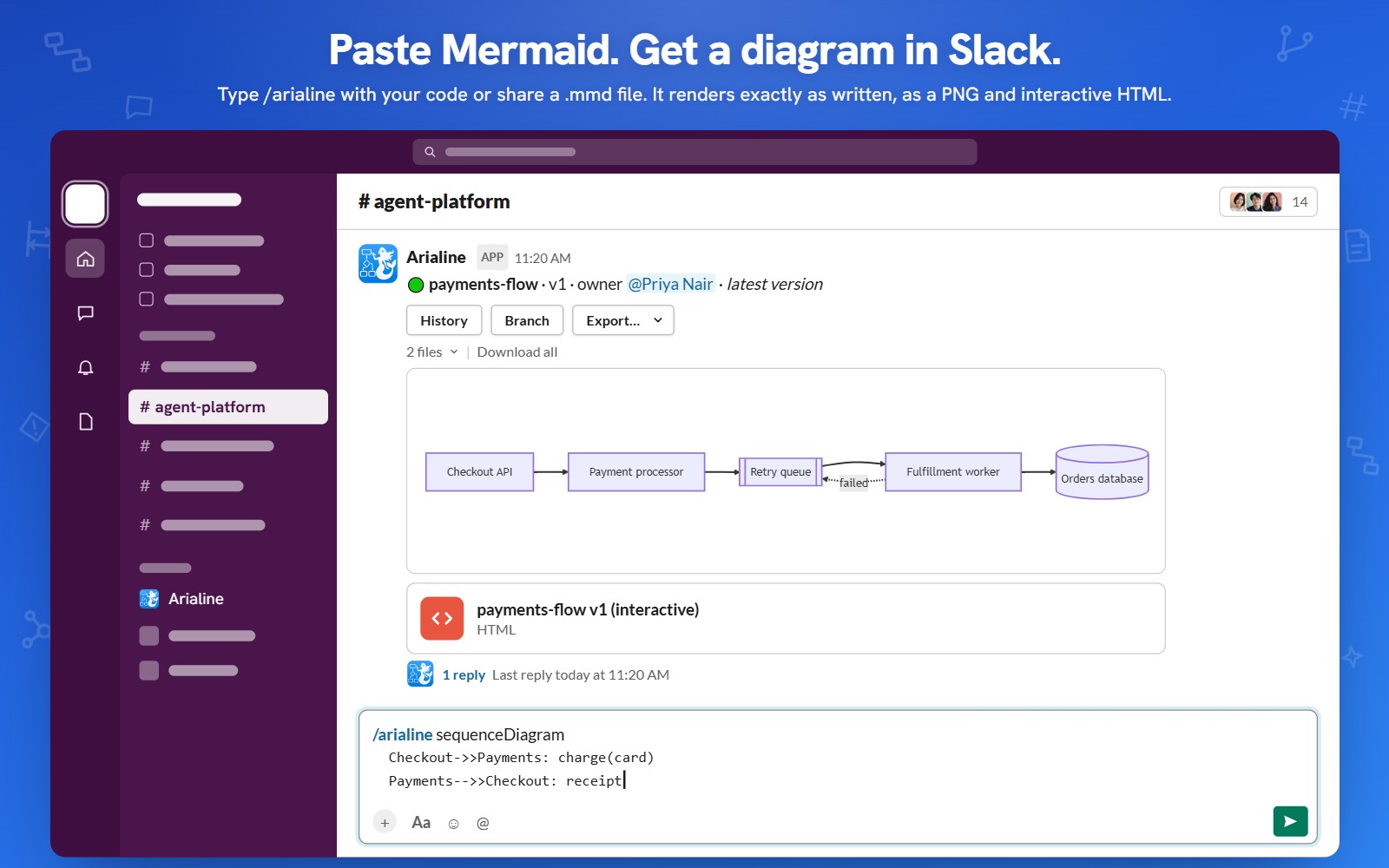
Type /arialine and paste Mermaid code: valid Mermaid renders exactly as written, with no AI and no quota, as a PNG and an interactive HTML diagram in the channel. Or mention @Arialine with a Mermaid code block, upload a .mmd file, or use the Render as diagram message shortcut. The Mermaid source is kept, so every diagram stays editable.
AI diagram generator for Slack
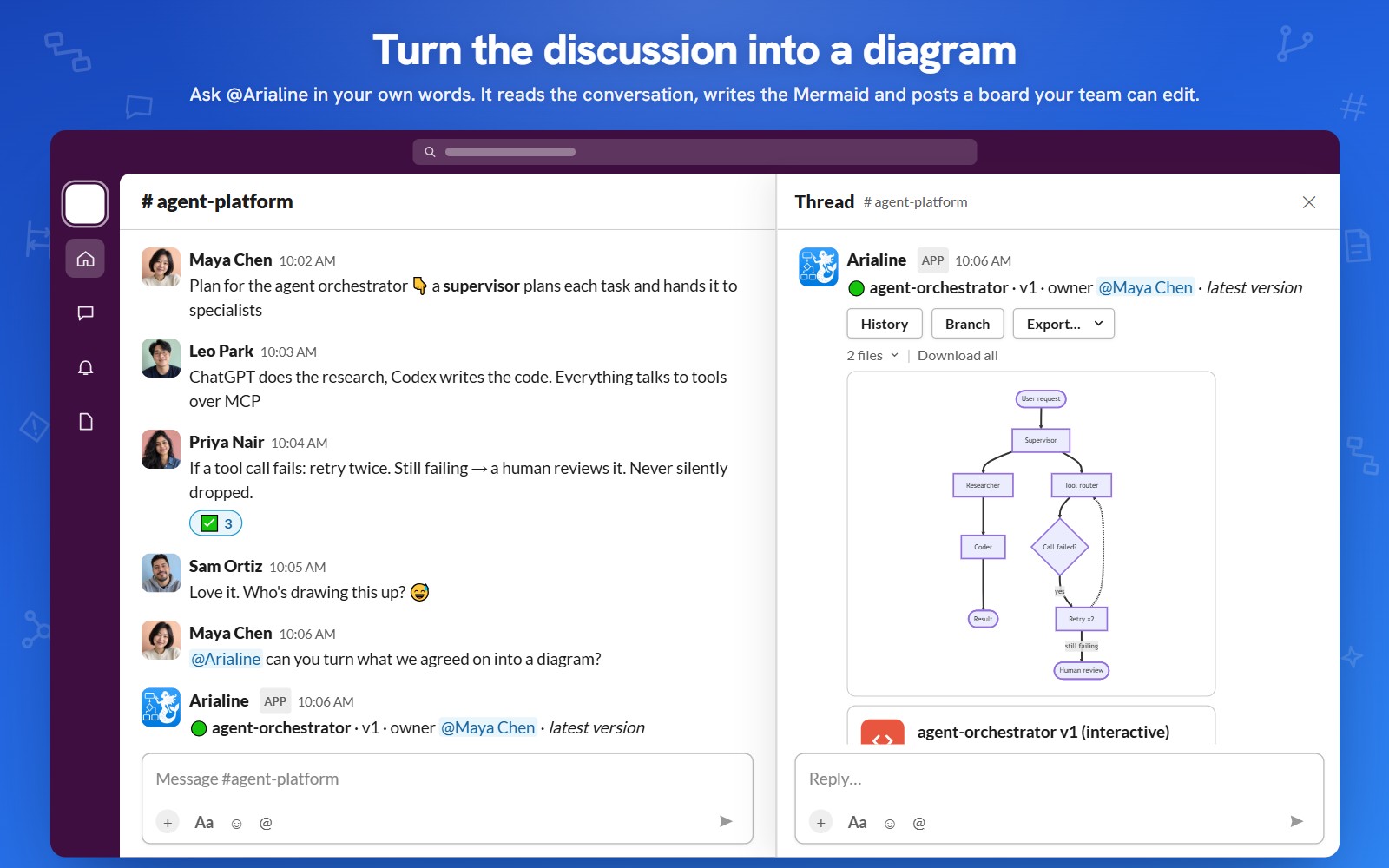
Describe the diagram in plain language: "@Arialine sequence diagram for OAuth login with 2FA" or "@Arialine C4 container diagram for our checkout service". Arialine writes the Mermaid and posts an editable diagram. Write "@Arialine diagram what we decided" and recent channel discussion becomes the diagram.
Edit diagrams by replying in the thread
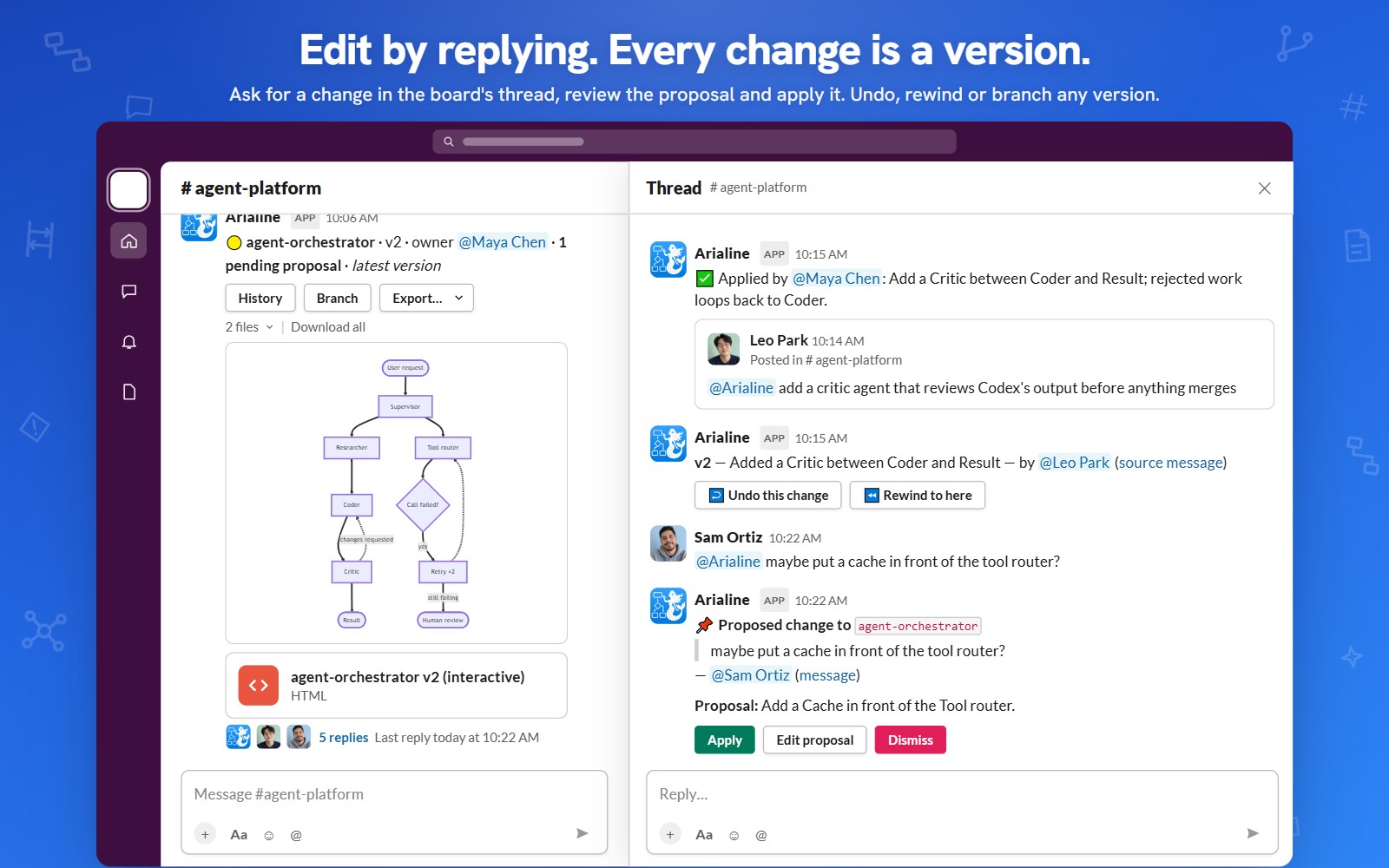
"@Arialine add a retry step after Payment" creates a new version. Every version is linked to the Slack message, author and date behind it, with undo, rewind and branches. Ask "why is this step here?" and Arialine answers with the source message.
Every Mermaid diagram type
Flowchart, sequence diagram, class diagram, state diagram, ER diagram, C4 model, architecture diagram, Gantt chart, mindmap, timeline, user journey, git graph, Sankey, quadrant chart, XY chart, kanban, block diagram, swimlane, Venn, Ishikawa fishbone and Wardley map. Mermaid 12 with ZenUML.
Markdown to Slack canvas
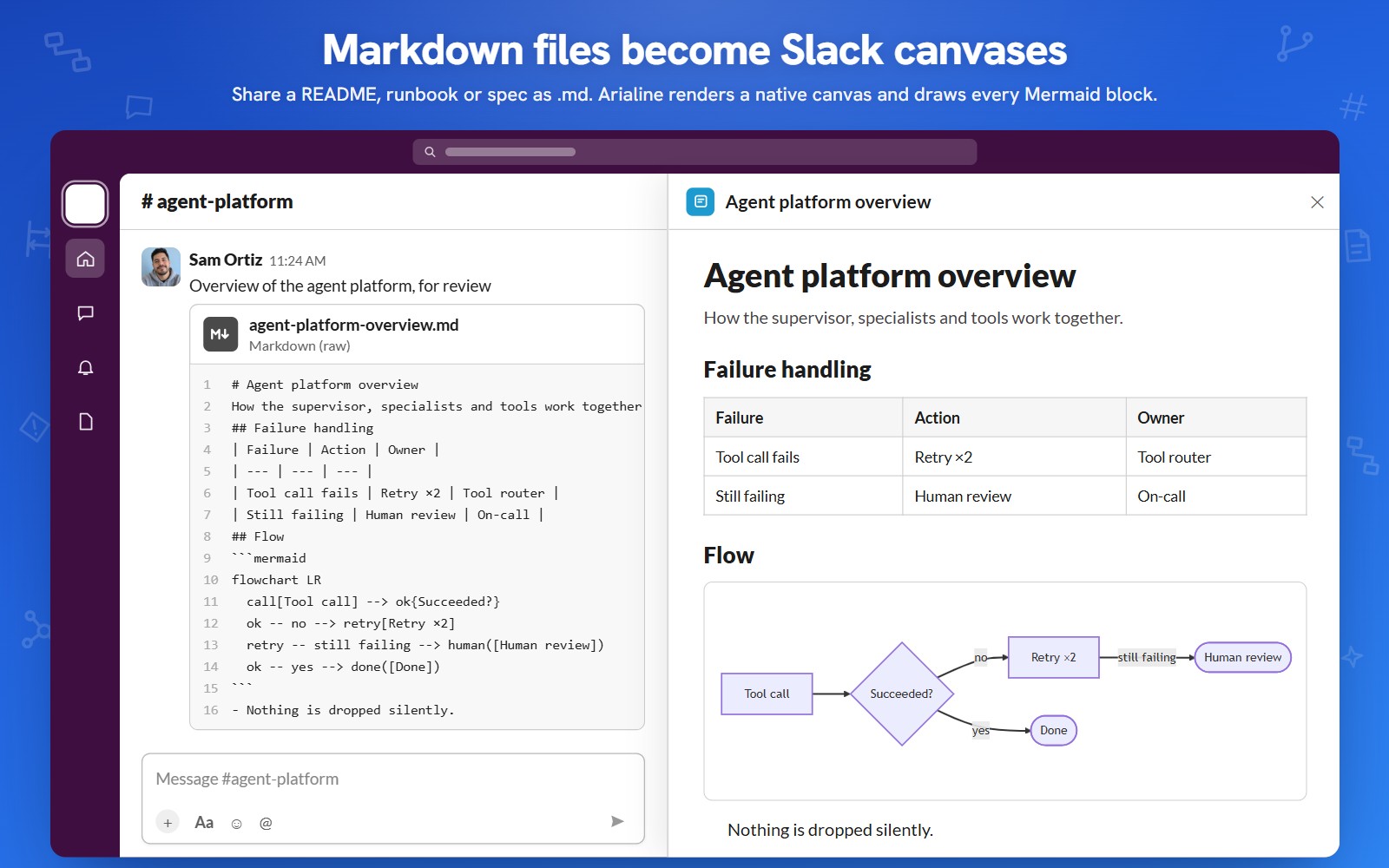
Upload a .md file and Arialine turns it into a native Slack canvas with headings, tables and code, drawing every Mermaid block as a diagram. Ideal for READMEs, runbooks, specs, ADRs and postmortems.
Export
Mermaid to PNG, SVG, .mmd and PDF version reports. The interactive HTML diagram has pan, zoom, source and history and opens on phones.
Arialine vs Miro
Miro is a freeform whiteboard priced per member ($8 to $20 per member per month); editing Miro boards from Slack needs Slackbot on Slack Business+ or Enterprise. Arialine is one flat price per workspace, works on every Slack plan, keeps Mermaid source and versions every change in the thread.
Arialine vs Lucidchart
Lucidchart keeps diagrams as Lucid documents edited in Lucid. Arialine keeps diagrams as Mermaid in the Slack thread where the decision happened, with each revision linked to its message.
Arialine vs Mermaid Preview
Mermaid Preview turns Mermaid you already wrote into a PNG in Slack. Arialine does the same with /arialine, then adds interactive HTML, saved source, thread edits, versions, AI generation and exports.
Arialine vs Mermaid Live Editor, draw.io and Whimsical
Those editors live in another tab and the result gets pasted into Slack as a screenshot that goes stale. Arialine keeps the diagram, the source and the history inside Slack.
Use cases
System design and architecture reviews, API sequence flows, database ER models, incident postmortems and timelines, on-call runbooks, engineering onboarding, product roadmaps, customer journeys, marketing funnels and process documentation.
Who uses it
Software engineers and architects for system design, C4 and sequence diagrams; SREs and engineering managers for incident timelines, postmortems and runbooks; product managers for user journeys, roadmaps and Gantt timelines; marketing and ops teams for funnels, customer journeys and process maps.
Privacy
Workspace admins can stop storing pasted Mermaid; each channel picks PNG, HTML or both.
Slackbot and MCP
Arialine is an MCP server, so Slackbot can create, edit and explain Arialine diagrams.
Pricing
Free plan with every feature: 3 boards, 10 AI generations per day and unlimited pasted Mermaid. Team removes every limit for one flat workspace price, not per seat. 10 languages.
FAQ
Does Slack support Mermaid diagrams? Not natively. Arialine adds Mermaid rendering to any Slack workspace with /arialine. How do I create a diagram in Slack? Type /arialine and describe it or paste Mermaid, or mention @Arialine in a channel. Do I need to know Mermaid? No. Describe the diagram in plain language and Arialine writes the Mermaid. Can I edit the diagram later? Yes. Reply in the diagram thread; every change becomes a new version with undo and rewind. Can I export Mermaid to PNG, SVG or PDF? Yes, plus the .mmd source and an interactive HTML file. Does it work on Slack Free? Yes, on every Slack plan. Is there a free plan? Yes, with every feature included.